Hotel Website Accessibility: Accessible Rooms and Booking Journeys
Accessible rooms are useless if disabled guests cannot book them online. Fix hotel search, room filters, booking forms, and policy content.

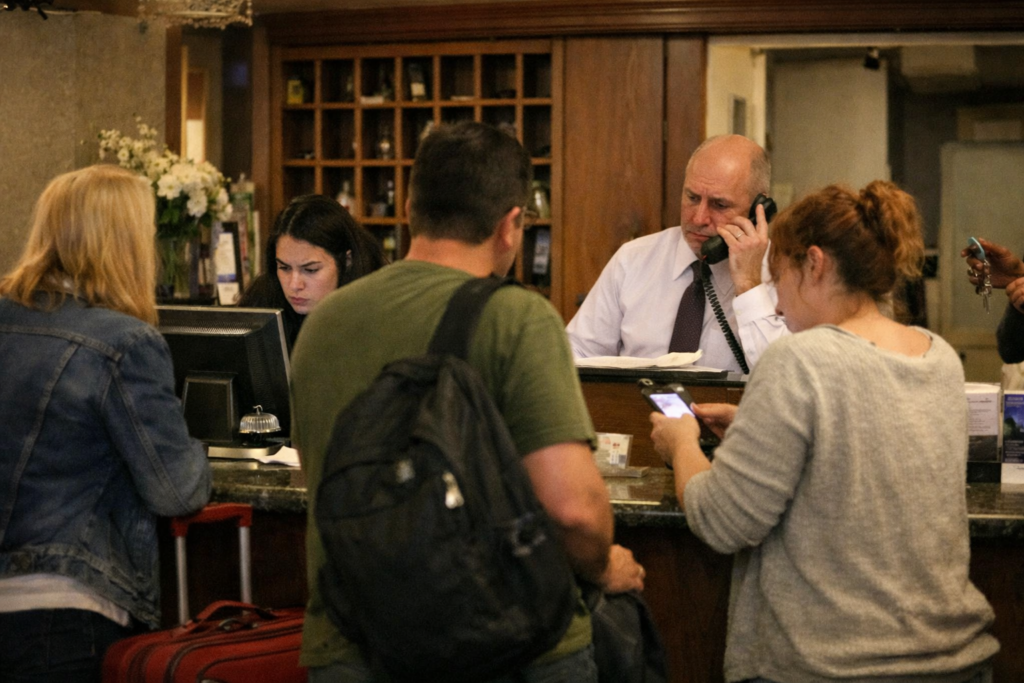
Video: Hotel Website Accessibility: Accessible Rooms and Booking Journeys
Em dashes / en dashes (house style): Multiple instances throughout. All must be replaced with period, comma, colon, parentheses, or plain hyphen.
Bullet overuse: The DOJ features list is a genuine list (8 items). The checklist table is required. The remediation section uses bold numbered items rather than bullets. Acceptable.
CTAs: The mid-article CTA (after checklist table) is clean. The end CTA is clean. No standalone scanner-promo sections. Good.
Stats: All attributed correctly.
According to the Click-Away Pound Survey, 69% of disabled online consumers click away from websites they find difficult to use. Only 8% will tell you why they left.
A guest with a mobility disability opens your hotel website to book an accessible room. She needs a roll-in shower and grab bars. The room photo gallery has no alt text describing the bathroom layout. The “accessible rooms” filter requires a mouse hover to activate. The date picker breaks under keyboard navigation before she reaches checkout. She does not call the front desk. She books a competitor’s property, and your analytics show nothing except a booking abandonment.
The legal exposure behind that abandoned session is not invisible. Under a 2010 DOJ rule that most hotel websites still violate, failing to describe accessible room features online is itself a compliance failure. That obligation is separate from, and in addition to, your general WCAG obligations. This guide walks through that rule, the full booking journey, and every fix your team needs to act on.
Why Hotel Website Accessibility Carries Legal Risk Most Owners Miss
The physical side of ADA compliance (accessible room counts, ramp widths, pool lift requirements) is a separate body of regulation from digital accessibility. A hotel can meet every physical ADA standard and still face a lawsuit because its website blocks a disabled guest from completing a booking. These are distinct obligations, and conflating them is the most common mistake hotel owners make when they first receive a demand letter.
The business case runs alongside the legal risk. According to Accenture’s 2023 Disability Inclusion research, people with disabilities in the United States hold nearly $500 billion in disposable income, not including the spending power of their families, friends, and advocates. Accenture also found that companies leading in disability inclusion generate 1.6 times more revenue and 2.6 times more net income than their industry peers. For hotels, accessible guests are direct-booking guests: when an OTA’s booking interface is inaccessible, guests with disabilities who find your accessible hotel will book your direct channel if it works.
Hospitality is consistently among the top sectors targeted in ADA digital accessibility litigation. According to UsableNet’s 2025 Year in Review, approximately 3,117 federal web accessibility lawsuits were filed in 2025, a 27% increase over 2024, with total cases including state court filings exceeding 5,000. Hotel websites are named in a material share of those cases. Settlements commonly include website remediation, a compliance monitoring period, and plaintiff attorney’s fees.
What Laws Apply to Your Hotel Website?
Multiple legal frameworks apply depending on where your property operates and who your guests are. ADA Title III covers private businesses in the United States, including every hotel with a web presence. It carries no government-mandated compliance deadline for web accessibility; enforcement is lawsuit-driven, and courts consistently apply WCAG 2.1 and 2.2 AA as the de facto standard, per ADA.gov guidance on web accessibility. The table below maps each relevant law to its scope and enforcement mechanism.
| Law | Who It Covers | Applicable Standard | Enforcement Mechanism |
|---|---|---|---|
| ADA Title III | All US hotels with any web presence | WCAG 2.1 / 2.2 AA (DOJ guidance) | DOJ enforcement + private civil lawsuits |
| European Accessibility Act (EAA) | Hotels selling to EU customers online | EN 301 549 (≈ WCAG 2.1 AA) | EU member-state regulators (active June 28, 2025) |
| Section 508 | Hotels operating under federal contracts | WCAG 2.0 AA (2.1 alignment in progress) | Federal contractor audits |
| AODA | Hotels targeting Ontario, Canada customers | WCAG 2.0 AA (2.1 recommended) | AODA Commissioner enforcement |
The European Accessibility Act came into force on June 28, 2025, per the European Commission. It applies to any company with 10 or more employees or €2 million or more in annual turnover selling into EU markets, which includes hotel groups with European guests booking through your website. If your property appears on EU-facing OTA platforms or your own website accepts EU bookings, EAA compliance is now a live obligation, not a future consideration.
The DOJ’s Accessible Room Description Rule: The Digital Requirement Hotels Overlook
Under the DOJ’s 2010 rule (28 CFR Part 36, Appendix A), hotels must describe accessible features in guest rooms in enough detail for guests with disabilities to independently assess whether a room meets their needs. That assessment must be possible online, before booking.
This is a digital content requirement. It is not about how many accessible rooms you have or whether they are built to code. It is about what your website says about those rooms. Most hotel owners do not know this distinction exists, which is why it is the single most common DOJ-specific failure in hotel digital compliance.
An image-only photo gallery of your accessible room does not satisfy this rule. Neither does a PDF attachment describing accessible features: PDFs are often inaccessible to screen readers and require a separate download step. The rule requires plain-text descriptions on the room detail page itself.
The specific features that must be described in text on each accessible room page include:
- Roll-in shower availability and dimensions
- Grab bar placement at the toilet and shower, including height
- Visual fire alarm location (above bed, by door)
- TTY/TDD availability
- Accessible route from parking to the room
- Door clearance width
- Toilet height and grab bar configuration
- Accessible pool lift, if available
The alt text on room photos must cover the same ground. A photo of your accessible king room should have alt text that reads something like: “King room with roll-in shower, grab bars at toilet and shower, visual fire alarm above bed, lowered closet rod.” Not “King Deluxe Room.” The Alt Text for Images: Practical Rules and Examples guide covers the decision framework for descriptive alt text in detail.
The Hotel Booking Journey: A Step-by-Step WCAG 2.2 Walkthrough
Only 8% of disabled customers who encounter difficulty on a website will contact the site owner about it, according to the Click-Away Pound Survey 2019. The other 92% leave without a word. That means most hotels have no visibility into how much revenue they lose to booking flow failures. The five stages below map the guest booking journey to specific WCAG 2.2 success criteria, giving your team a compliance map rather than generic advice.
Step 1 – Search and Date Selection
The date picker is the first major failure point in most hotel booking flows. WCAG 2.5.7 (Dragging Movements), a WCAG 2.2 criterion, requires that any interaction relying on a click-and-drag gesture must also be achievable through a single pointer action or a text-entry alternative. Most hotel date range widgets require the user to drag from check-in to check-out date. If there is no text field fallback, the widget fails WCAG 2.5.7 for every keyboard and switch-access user.
WCAG 1.3.1 (Info and Relationships) requires that all search field labels be programmatically linked to their inputs via for/id attributes. Placeholder text that disappears on focus does not count as a label. WCAG 2.4.3 (Focus Order) requires the keyboard tab sequence through search fields to follow a logical visual order. Test this with nothing but the Tab key.
For a deeper technical walkthrough of keyboard navigation requirements, see the guide on keyboard accessibility.
Step 2 – Room Selection and Filtering
The “accessible rooms” filter is where most mobility-disabled guests hit their second wall. If that filter activates on mouse hover or is buried in a multi-step menu, it fails WCAG 2.1.1 (Keyboard): every interactive element must be reachable and operable by keyboard alone.
When the accessible room filter updates search results, WCAG 4.1.3 (Status Messages) requires that the change in result count be announced to screen readers via an ARIA live region, not just visually updated on screen. A blind user applying the filter has no indication the results changed unless the DOM broadcasts it.
WCAG 2.5.8 (Target Size Minimum), another WCAG 2.2 criterion, requires that interactive elements have a minimum touch target of 24×24 CSS pixels on mobile. Room selection cards with small “Select” buttons fail this on most current hotel websites.
Step 3 – Accessible Room Detail Pages
This is where the DOJ reservation rule lands most directly. Every accessible room detail page must list qualifying features in plain text: not only in a photo gallery, not only in a downloadable PDF, and not only in a virtual tour that has no text alternative.
Room photos must have alt text that names accessible features explicitly, as described in the previous section. WCAG 1.4.3 (Contrast Minimum) requires all room description text to meet a 4.5:1 contrast ratio against the background, a failure that frequently occurs on property pages that layer text over room photography.
If your hotel offers 360-degree virtual room tours, each tour must have a text-based alternative describing the accessible features visible in the tour. A guest using a screen reader cannot navigate a 360-degree view.
Step 4 – The Booking Form and Checkout
WCAG 1.3.5 (Identify Input Purpose) requires that form fields use the autocomplete HTML attribute to identify their purpose: name, email, street-address, and so on. This matters most for guests with cognitive disabilities or motor impairments who rely on browser autofill to reduce manual data entry.
Inline error messages must be linked to the specific failing field via aria-describedby. An error summary at the top of the page does not help a keyboard user who has tabbed past the problematic field. The error must be associated with the element the guest is focused on.
WCAG 2.2.1 (Timing Adjustable) is a consistent failure in hotel booking engines. If the session times out, users must be warned at least 20 seconds before expiry and given an option to extend. Many hotel booking engines expire sessions silently, wiping form data and leaving the guest no path forward except starting over.
The Shopify Accessibility Compliance: Product Pages, Apps, and Checkout guide covers checkout form accessibility patterns that apply equally to hotel booking engines.
Step 5 – Confirmation and Post-Booking Communication
A booking confirmation email that arrives as an image-heavy HTML layout or a PDF attachment is unreadable to screen readers. All essential booking information (room type, accessible features confirmed, dates, cancellation policy) must exist as selectable text, not as an embedded image.
If your hotel offers a mobile app for managing reservations, it must meet WCAG 2.1 AA mobile criteria independently. App accessibility is a separate audit from website accessibility.
A phone booking alternative must be clearly displayed across every page of the booking flow. This satisfies the DOJ’s alternative service provision guidance and provides a fallback for guests who cannot complete digital booking. It does not substitute for a fully accessible digital path.
Best practice: include the specific accessible room features confirmed (roll-in shower, grab bars, visual fire alarm) in the confirmation email itself. The guest chose that room for a reason. Confirming the features removes doubt and cuts pre-arrival calls to the front desk.
Hotel Website Accessibility Checklist (WCAG 2.2 AA)
Use this table as a self-scoring audit starting point. Each row maps a booking-journey category to the specific WCAG criterion or DOJ rule that governs it.
| Category | What to Check | WCAG Criterion |
|---|---|---|
| Images | All room photos have descriptive alt text covering accessible features | 1.1.1 |
| Color Contrast | Body text meets 4.5:1 ratio; UI components meet 3:1 ratio | 1.4.3, 1.4.11 |
| Forms | All fields have programmatic labels (not just placeholder text) | 1.3.1 |
| Autocomplete | Booking form fields use autocomplete HTML attributes |
1.3.5 |
| Date Picker | Date input available via text entry, not drag-and-drop only | 2.5.7 |
| Keyboard Nav | Entire booking flow completable without a mouse | 2.1.1 |
| Focus Indicators | Visible keyboard focus ring present at every interactive element | 2.4.7, 2.4.11 |
| Touch Targets | All booking buttons ≥24×24 CSS pixels on mobile | 2.5.8 |
| Error Messages | Errors linked to specific fields via aria-describedby, not only shown at page top |
3.3.1 |
| Session Timeout | Warning displayed 20 seconds before session expiry with option to extend | 2.2.1 |
| Room Descriptions | Accessible room features listed in plain text on detail pages | DOJ 28 CFR Part 36 |
| ARIA Live Regions | Filter result updates announced to screen readers | 4.1.3 |
| Confirmation Email | Booking confirmation readable in plain text; no image-only emails | 1.1.1 |
Before starting manual booking flow testing, run an automated scan to triage the highest-priority violations. A free website accessibility checker can surface contrast failures, missing alt text, and unlabeled form fields before you invest time in keyboard walk-throughs.
Third-Party Booking Engines: Who Bears Legal Responsibility?
Most hotel digital teams get this wrong. If your booking engine is provided by an OTA integration, a channel manager plugin, or a third-party reservation system, you may assume the vendor carries the compliance risk. Under ADA Title III, that assumption is incorrect.
The hotel, not the vendor, is responsible for ensuring the booking experience is accessible to guests. If a guest cannot complete a reservation through your third-party engine because it fails WCAG 2.1 AA, the legal exposure sits with your property. The vendor’s terms of service will not protect you in litigation.
Hotels that rely entirely on third-party booking infrastructure without auditing it are carrying undisclosed liability. With federal web accessibility lawsuits up 27% in 2025 (per UsableNet), that is no longer an acceptable position.
Three steps address this directly. First, audit your third-party booking engine for WCAG 2.1 and 2.2 AA compliance: test it with a keyboard, test it with a screen reader, and run an automated scan on it the same way you would your own pages. Second, include explicit accessibility requirements in your vendor contract, specifying the applicable standard (WCAG 2.2 AA), audit frequency, and remediation timelines. Third, if the vendor cannot demonstrate compliance, evaluate alternatives or implement a fully accessible phone booking path as an interim measure while pressing for a remediation commitment in writing.
How to Test Your Hotel Website for Accessibility
Testing hotel website accessibility requires three layers. No single method catches everything, and knowing the limits of each method stops you from treating the results as complete.
Automated scanning catches color contrast failures, missing alt text, unlabeled form fields, and absent ARIA landmarks. It reaches approximately 30-40% of WCAG violations. What it cannot catch: whether the keyboard tab order through your date picker is logical, whether your ARIA live region actually fires when the room filter updates, or whether a screen reader announces your accessible room filter correctly. Automated tools report structural problems well; they miss interaction problems entirely.
Manual keyboard testing is non-negotiable for booking flows. Navigate the entire journey, from the search form through date selection, room filtering, the accessible room detail page, the booking form, and checkout, using only Tab, Shift+Tab, Enter, Space, and the arrow keys. If you get stuck at any point before completing a booking, so does your guest. Pay particular attention to the date picker, the accessible rooms filter, and any modal dialogs (cancellation policy, room detail overlays). These are the three most common keyboard traps in hotel booking interfaces.
Screen reader testing must use the tools your guests actually use: VoiceOver on iOS and macOS (built in, no cost) and NVDA on Windows (free download). Walk the date picker and booking form with each tool. Listen for whether the accessible room filter announces its result count change, whether form error messages are read when they appear, and whether the confirmation page reads out the booked room’s accessible features. What looks correct on screen often announces as silence through a screen reader.
Frequently Asked Questions About Hotel Website Accessibility
Does my hotel website have to be WCAG 2.2 compliant?
WCAG 2.2 AA is the current standard referenced in DOJ guidance on ADA digital compliance. While no US statute names WCAG 2.2 by number, courts and the DOJ consistently apply WCAG AA criteria when evaluating hotel website accessibility under ADA Title III. WCAG 2.2 superseded WCAG 2.1 in October 2023 and introduced new criteria, including 2.5.7 and 2.5.8, directly relevant to booking interfaces.
What happens if a disabled guest can’t complete a booking on my hotel website?
The guest may file an ADA complaint with the DOJ or pursue a private civil lawsuit under ADA Title III. Hospitality is one of the top three most-sued sectors for ADA website violations. Settlements typically include website remediation, a compliance monitoring period, and plaintiff attorney’s fees, commonly totalling $25,000-$100,000 or more for mid-size hotel groups, before your own legal costs.
Are third-party booking engines my hotel’s responsibility?
Yes. Under ADA Title III, the hotel, not the booking engine vendor, is responsible for ensuring the full booking experience is accessible to guests. If your third-party engine fails WCAG 2.1 or 2.2 AA, you remain liable. Audit any reservation system you use and include explicit WCAG compliance requirements in your vendor contracts.
How often should I audit my hotel website for accessibility?
Audit at minimum annually and after any significant update: new booking engine, redesign, or CMS migration. Any audit conducted before October 2023 does not cover WCAG 2.2 and is now outdated. Run automated scans monthly to catch regressions between full audits. Booking engine updates and CMS plugin updates are the most common sources of new failures.
What is the DOJ accessible room description rule?
The DOJ’s 2010 rule (28 CFR Part 36) requires hotels to describe accessible features in guest rooms in enough detail for guests with disabilities to independently determine whether a room meets their needs. This applies to the hotel’s own website and any third-party booking platform listing the property. Image-only galleries and PDF attachments do not satisfy the rule. Plain text on the room detail page is required.
Where to Start: Prioritising Your Hotel Website Accessibility Fixes
According to the Click-Away Pound Survey 2019, 83% of disabled users limit their online activity exclusively to websites they already know are accessible. A bad first experience does not produce a support ticket. It produces a lost guest who never returns. Getting priority order right determines whether your remediation retains those guests or continues to lose them while the work is in progress.
Fix these in order:
1. DOJ room description violations first. If your accessible room detail pages rely on photos or PDFs to convey accessible features, this is your most specific legal exposure. Add plain-text feature lists to every accessible room page today. This is a content change requiring no developer work.
2. Keyboard-inaccessible date pickers and room filters second. These are the highest-traffic interaction points in your booking flow. A guest who cannot get past the date picker never reaches checkout. Audit both elements with a keyboard before touching anything else in the front-end code.
3. Missing form labels and broken error handling third. Unlabeled form fields and errors not associated with their source field fail at the most critical conversion point in your funnel. WCAG 1.3.1 and 3.3.1 violations here are both a legal exposure and a direct revenue leak.
4. Third-party booking engine audit fourth. Once your own pages are in order, audit your booking engine with the same three-layer approach: automated scan, keyboard walk-through, screen reader test. Send the results to your vendor with your contractual requirements.
5. Confirmation email and post-booking communications last. These matter, but they sit downstream of the booking decision. Fix the path to conversion first.
The Meaningful Link Text: Stop Writing Click Here guide covers one of the smaller but consistently failing elements across hotel booking flows: call-to-action links that announce nothing useful to screen reader users.
Run an automated scan of your booking flow to identify which of these categories has the most failures on your specific site. That narrows the first sprint to high-priority items rather than a full redesign.
This article is for general informational purposes and is not legal advice.
Related guides

Shopify Accessibility Compliance: Product Pages, Apps, and Checkout
Shopify themes, apps, and checkout customizations can break WCAG fast. Find the store issues that block shoppers and raise compliance risk.
Read: Shopify Accessibility Compliance: Product Pages, Apps, and Checkout
Gym Website Accessibility: Class Booking, Memberships, and Fitness Media
Class schedules, booking widgets, and membership forms can block disabled gym members before they arrive. Fix the fitness-site barriers that cost signups.
Read: Gym Website Accessibility: Class Booking, Memberships, and Fitness Media
Website Accessibility for Medical Practices: Patient Access and ADA Risk
A broken patient portal can become both an ADA risk and a care-access problem. Fix appointment forms, PDFs, portals, and patient workflows.
Read: Website Accessibility for Medical Practices: Patient Access and ADA Risk