Meaningful Link Text: Stop Writing Click Here
Click here gives screen reader users no context. Replace vague links with text that explains the destination, action, and WCAG purpose.

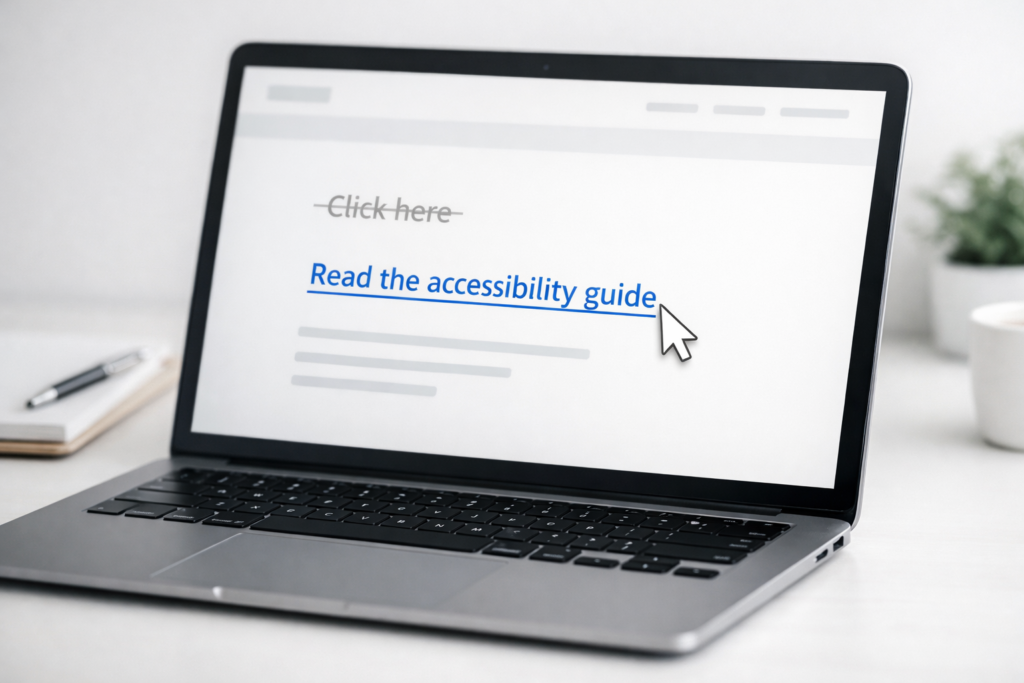
A content editor searches her site for the phrase “click here.” She finds it 47 times. Every single instance is a WCAG 2.4.4 Level A failure. Not one of them requires a developer to fix.
Video: Meaningful Link Text: Stop Writing Click Here
That is the nature of link text problems: they are editorial failures with editorial solutions. This guide gives you the six rules, the rewrite table, and the detection workflow to clear every one of those flags today.
What is meaningful link text? Meaningful link text is the visible, clickable words of a hyperlink that describe the link’s destination or purpose clearly enough that any user – including someone navigating by links list on a screen reader – understands where the link goes without reading the surrounding sentence. It applies to every hyperlink on every page of your site.
What WCAG 2.4.4 Requires – and Why Level A Means No Exceptions
WCAG Success Criterion 2.4.4, titled Link Purpose (In Context), is a Level A requirement – the baseline of web accessibility compliance. It requires that the purpose of each link can be determined from the link text alone, or from the link text combined with its programmatically determinable context (the surrounding sentence, paragraph, list item, table cell, or preceding heading).
Two compliant paths exist. First: the link text is descriptive enough to stand alone – “Download the 2026 pricing guide.” Second: the link text plus its immediate context makes the destination clear – “For pricing details, [see our plans]” satisfies the criterion because the surrounding sentence supplies the context.
The stricter variant is WCAG 2.4.9 (Level AAA), Link Purpose (Link Only), which requires the link text alone to be sufficient regardless of context. Most compliance targets – ADA, EAA, Section 508 – set the bar at Level AA, which includes 2.4.4 but not 2.4.9.
For US-based private businesses, according to ADA.gov’s guidance on web accessibility, ADA Title III has no government-mandated compliance deadline. Enforcement is lawsuit-driven, and courts consistently apply WCAG 2.1 AA as the de facto standard – which includes 2.4.4.
See also: Alt Text for Images: Practical Rules and Examples – both alt text and link text are WCAG naming requirements for non-text content and linked images.
What Screen Readers Actually Read Out: The Links-List Problem
Most screen reader users do not read a page top to bottom. Many pull up a links list – a feature that extracts every hyperlink on the page and presents them in sequence, stripped of surrounding context. On a page full of generic link text, that list sounds like this:
Click here – Read more – Click here – Learn more – Click here – Download – Click here
Seven links. Zero information. The user cannot tell where any of them lead.
Rewrite the same page with meaningful link text and the list becomes:
Book a free consultation – Download the 2025 compliance checklist – Read: how WCAG 2.4.4 works – View our pricing plans – Contact the accessibility team
Five seconds of listening and the user knows exactly what the page offers. That is the practical case for descriptive link text, and it costs nothing but a few words.
Six Rules for Writing Meaningful Link Text
1. Describe the destination or action – not the gesture. Bad: “Click here to see our services.” Good: “View our accessibility services.”
2. Keep it concise – four to seven words is the target. Bad: “You can click on this link here if you would like to download our annual report for 2025.” Good: “Download the 2025 Annual Report.”
3. Drop redundant openers. Bad: “Link to our contact page.” Good: “Contact our team.” Screen readers already announce “link” – you do not need to repeat it.
4. Match the destination page title where possible. Bad: “Find out more about pricing.” Good: “View pricing plans.” When the link text matches what users see on arrival, there is no disorienting gap.
5. Use unique text for unique destinations. Bad: Two links both reading “Read more” – one to a blog post, one to your about page. Good: “Read: five WCAG myths debunked” and “Learn about our team.” The same anchor text pointing to different pages is a navigational trap.
6. Signal file type and new-tab behaviour when relevant. Bad: “Download the guide.” Good: “Download the accessibility guide (PDF, opens in new tab).” Users deserve to know what they are getting before they click.
Before and After: Rewriting Generic Links by Business Type
The table below shows common link text failures alongside accessible rewrites, organised by business scenario. Any content editor can work through this as a reference without touching a line of code. (For booking and membership flows where generic CTAs are especially common, see also: Gym Website Accessibility: Class Booking, Memberships, and Fitness Media.)
| Scenario | Fails WCAG 2.4.4 | Accessible rewrite | Why it works |
|---|---|---|---|
| E-commerce product CTA | “Click here” | “Add the merino wool scarf to cart” | Describes the action and the product |
| Blog read-more | “Read more” | “Read: 5 WCAG myths debunked” | Unique; includes the article title |
| PDF download | “Download” | “Download the ADA compliance guide (PDF)” | Signals file type before the click |
| Contact page link | “Here” | “Contact our accessibility team” | Describes the destination fully |
| Duplicate anchors | “Sign up” x3 on one page | “Sign up for weekly accessibility tips” | Unique; adds context to distinguish instances |
| Appointment booking | “Book now” x2 (different services) | “Book a WCAG audit” / “Book a remediation consult” | Distinguishes the two separate destinations |
| Newsletter signup | “Subscribe” | “Subscribe to the monthly accessibility digest” | Specific; clarifies what the user is signing up for |
| Resource hub link | “Resources” | “Browse WCAG 2.2 resources and guides” | Specific and scannable |
For form-related CTAs like “Submit” or “Sign up,” the same principles apply to button labels – see Required Fields and Form Instructions for the full pattern.
How to Find Every Problematic Link on Your Site
Knowing the rules is one thing. Finding every instance across a fifty-page site is another. Use these three methods in order of effort.
Method 1 – CMS search. In your page editor, search for “click here,” “read more,” “here,” “learn more,” and “download.” Most CMS platforms (WordPress, Squarespace, Wix) have a global search function. This works well for small sites and catches the obvious offenders immediately.
Method 2 – Browser developer tools. On any live page, open the Elements panel (F12 in Chrome), then use Ctrl+F to search for anchor tag text. This catches links rendered dynamically that may not appear in your CMS editor view.
Method 3 – Accessibility scanner report. A free website accessibility checker scans your entire site and flags WCAG 2.4.4 failures – typically labelled “ambiguous link text” or “link does not have a discernible name” – with exact page URLs. Rather than checking page by page, you get a complete list in a single pass. For any site with more than a handful of pages, this is the only realistic way to find every instance systematically.
Frequently Asked Questions
Is it ever acceptable to use “click here” as link text?
Technically, yes. If the surrounding sentence makes the destination completely unambiguous, WCAG 2.4.4 is satisfied through context. But “click here” still fails when a user navigates by links list, because that context disappears. The safest approach is always descriptive text – the technical exception is not worth the usability cost.
Does meaningful link text affect SEO?
Yes, meaningfully. Descriptive anchor text passes keyword-relevant signals to the linked page – a direct internal linking benefit. “Click here” passes zero keyword signal. “Download our WCAG 2.4.4 compliance checklist” tells search engines exactly what the destination covers. It is one of the rare fixes that helps both accessibility and organic search simultaneously.
What is the difference between WCAG 2.4.4 and WCAG 2.4.9?
WCAG 2.4.4 (Level A) allows surrounding context to clarify a link’s purpose – the link text does not have to work in isolation. WCAG 2.4.9 (Level AAA) requires the link text alone to be sufficient, with no reliance on surrounding content. Most compliance frameworks – ADA, EAA, Section 508 – require Level AA, which includes 2.4.4 but not 2.4.9.
How do I make an icon-only link accessible?
Icon-only links – a social media icon, a hamburger menu, a search icon – have no visible text for a screen reader to announce. The fix is an aria-label attribute on the anchor element describing the destination (for example, aria-label="Visit our LinkedIn page"). This is a developer task, not a CMS editing task. Flag icon-only links and hand them to your developer with the destination label written out. For the broader principle, see Alt Text for Images: Practical Rules and Examples.
This article is for general informational purposes and is not legal advice.
Related guides

How to Make a Cookie Consent Banner Accessible
One broken cookie banner can trigger enforcement from two regulators: the EAA for the WCAG failure and a DPA for invalid GDPR consent.
Read: How to Make a Cookie Consent Banner Accessible
Alt Text for Images: Practical Rules and Examples
IMG_3847.jpg is not alt text. See when images need descriptions, when decorative images should be empty, and how to write useful alt text.
Read: Alt Text for Images: Practical Rules and Examples
Required Fields and Form Instructions
A red CSS asterisk can disappear from the accessibility tree. Fix required-field labels, instructions, and errors before forms reject users.
Read: Required Fields and Form Instructions