When Patients Couldn’t Book Vaccine Appointments Online
Five pharmacy chains settled with the DOJ after vaccine booking portals failed screen reader users. Radio buttons announced every slot as taken.

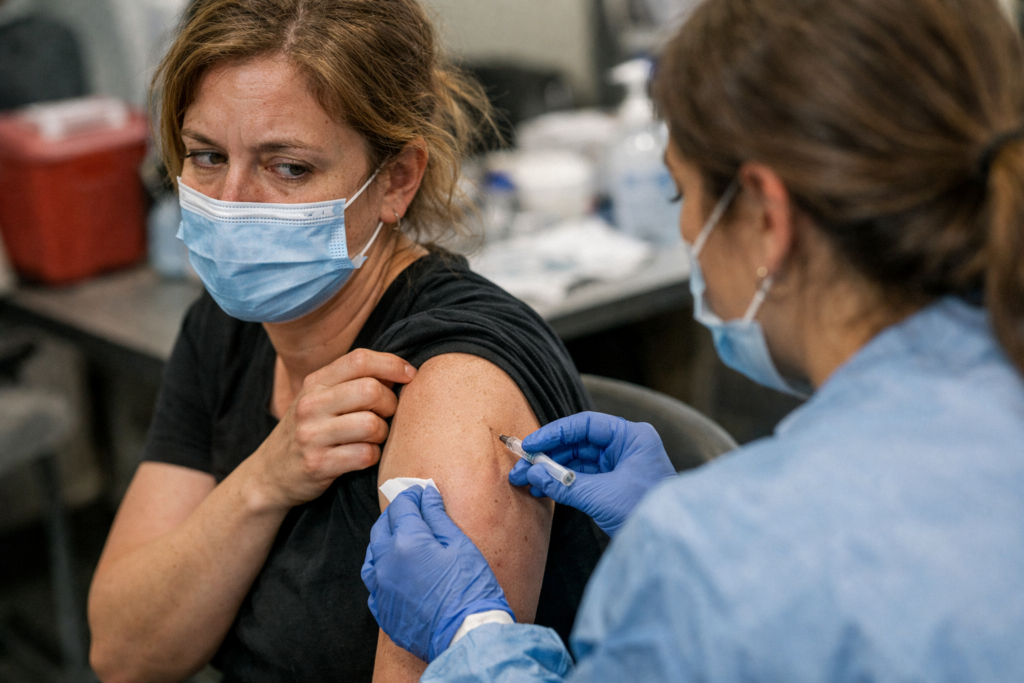
In early 2021, a blind person opened a pharmacy’s vaccine scheduling portal and pressed Tab to move through the appointment slots. Their screen reader announced every single time slot as already selected: “checked,” “checked,” “checked.” There was no way to distinguish available from unavailable. There was no vaccine appointment at the end of that session. There was no workaround offered. There was just silence where a booking confirmation should have been.
Video: When Patients Couldn’t Book Vaccine Appointments Online
Five major US pharmacy and grocery chains had booking portals with failures like this one. Between November 2021 and April 2022, each of them reached an agreement with the DOJ. Those settlements established something that still applies to any business with an online scheduling page: multi-step booking forms are the highest-risk page type in digital accessibility enforcement, and the standard courts apply is WCAG 2.1 AA, whether you knew that or not.
Five Settlements, Five Failures: The DOJ Enforcement Timeline
The five agreements came in rapid succession. Each one required WCAG 2.1 AA conformance, an accessibility feedback mechanism, third-party auditing, and periodic reporting to the DOJ.
| Company | Settlement Date | Key Failure | Required Fix |
|---|---|---|---|
| Rite Aid | Nov 2021 | Calendar showed no available appointment slots to screen reader users; keyboard users could not complete the consent form | WCAG 2.1 AA conformance + accessibility feedback page + periodic audits |
| Hy-Vee | Dec 2021 | Mislabeled fields and broken drop-down menus that screen readers could not parse | WCAG 2.1 AA conformance + monitoring |
| Kroger | Jan 2022 | Vaccine type selector and appointment time picker not operable by keyboard | WCAG 2.1 AA conformance + third-party audit |
| Meijer | Feb 2022 | Tab key navigation stopped at the insurance information step; users could not proceed | WCAG 2.1 AA conformance + reporting |
| CVS | Apr 2022 | All appointment times announced as “checked” to screen reader users; keyboard users could not pass the insurance step | WCAG 2.1 AA conformance + accessibility notice + reporting |
Sources: DOJ Civil Rights Division settlement agreements, 2021-2022.
What the Failures Actually Looked Like
Two of these failures are worth slowing down on, because they show exactly what breaks and why.
The CVS “all times checked” bug. When a screen reader user reached the appointment time selection step on CVS’s vaccine portal, every available slot was announced as already selected. The radio buttons controlling those slots had not been programmed to communicate their actual state. Every appointment time sounded identical: chosen, unavailable, already taken. The user had no way to distinguish a free slot from a booked one, and no way to make a selection. This is what happens when a form input does not have a correctly coded selected state. The control existed visually. For someone navigating without a mouse, it did not exist at all.
The Rite Aid zero-slots calendar. Rite Aid’s scheduling calendar displayed available appointment times visually, but the underlying calendar widget had not been built to expose that information to assistive technology. A screen reader user navigating the calendar encountered a date picker that returned no available times, because the widget’s structure was invisible to their software. Keyboard users hitting the consent form found fields they could not reach or submit. The page looked functional. For a significant portion of users, it was not.
Both failures map to the same underlying principle. Every interactive element on a booking page, including every slot, every field, and every drop-down, must announce its label, its current state, and its purpose clearly enough that someone using only a keyboard and screen reader can complete the transaction. When any of those three things are missing, the form is broken for that user.
Title II vs Title III: Which Law Applies to Your Site?
The vaccine settlements all fell under Title III of the ADA, which covers private businesses: retail pharmacies, grocery chains, clinics, and any company operating a commercial website. Title III has no government-mandated compliance deadline for web accessibility, according to ADA.gov’s guidance on web accessibility. Enforcement is entirely lawsuit-driven, and courts consistently apply WCAG 2.1 AA as the de facto standard.
Title II covers state and local government entities: public health departments, municipal websites, and state vaccine portals. Under the DOJ’s final rule, government entities must conform to WCAG 2.1 AA, with compliance deadlines of April 2027 for larger entities and April 2028 for smaller ones, according to the DOJ’s ADA Title II web accessibility final rule. If your site is a private business, Title III applies. Your exposure is not to a government deadline. It is to the next complaint filed.
If Kroger and CVS Got Caught, Your Booking Page Is Not Exempt
The vaccine enforcement wave did not end in April 2022. According to UsableNet’s 2025 Year in Review, approximately 3,117 federal web accessibility lawsuits were filed in 2025, a 27% increase over 2024, with total cases including state filings exceeding 5,000. Healthcare and services with online scheduling remain active enforcement categories.
The component types cited in every pharmacy settlement, including multi-step forms, calendar widgets, radio buttons, consent checkboxes, and insurance input fields, are the same components that appear in booking flows across clinics, gyms, salons, restaurants, and any business that lets customers schedule online. The scale of the company did not protect CVS. It will not protect a smaller operation either.
Healthcare providers receiving federal funding carry an additional layer of exposure: an HHS rule setting 2026 as a compliance horizon for digital accessibility adds regulatory risk on top of existing ADA liability.
If your site includes a scheduling or booking page, that page deserves the same scrutiny the DOJ applied to the pharmacy portals. A free website accessibility checker can surface the form, keyboard, and booking barriers most likely to draw a complaint. Run it on your scheduling page first, not your homepage.
For teams who want to understand what these failures mean in practice, Accessibility Training for Designers and Developers: A Practical Team Guide covers how to build the internal capacity to catch and fix them. If you are running a WordPress booking plugin, WordPress Accessibility Plugins and Themes: What They Fix, What They Miss, and How to Choose explains what automated tools cannot catch in a scheduling flow. And if you want a reminder that a procedural escape from a lawsuit is not the same as a compliant site, How Auchan Won an Accessibility Case Without Proving Its Website Was Accessible makes that point clearly.
Enforcement is not a historical footnote from the pandemic. It is an active, growing pattern, and booking pages are where it concentrates.
This article is for general informational purposes and is not legal advice.
Related guides
Why UC Berkeley Removed 20,000 Online Lectures Instead of Making Them Accessible
UC Berkeley made 20,000 lectures private to avoid captioning costs. The 2022 consent decree cost far more. Here is what it means for your video content.
Read: Why UC Berkeley Removed 20,000 Online Lectures Instead of Making Them Accessible